Customization
The project supports full customization including styling via SCSS variables and asset management.
Global Styles
Global styles and SCSS files are located in the app/assets/scss/ folder. This is where you control the overall look and feel of the application.
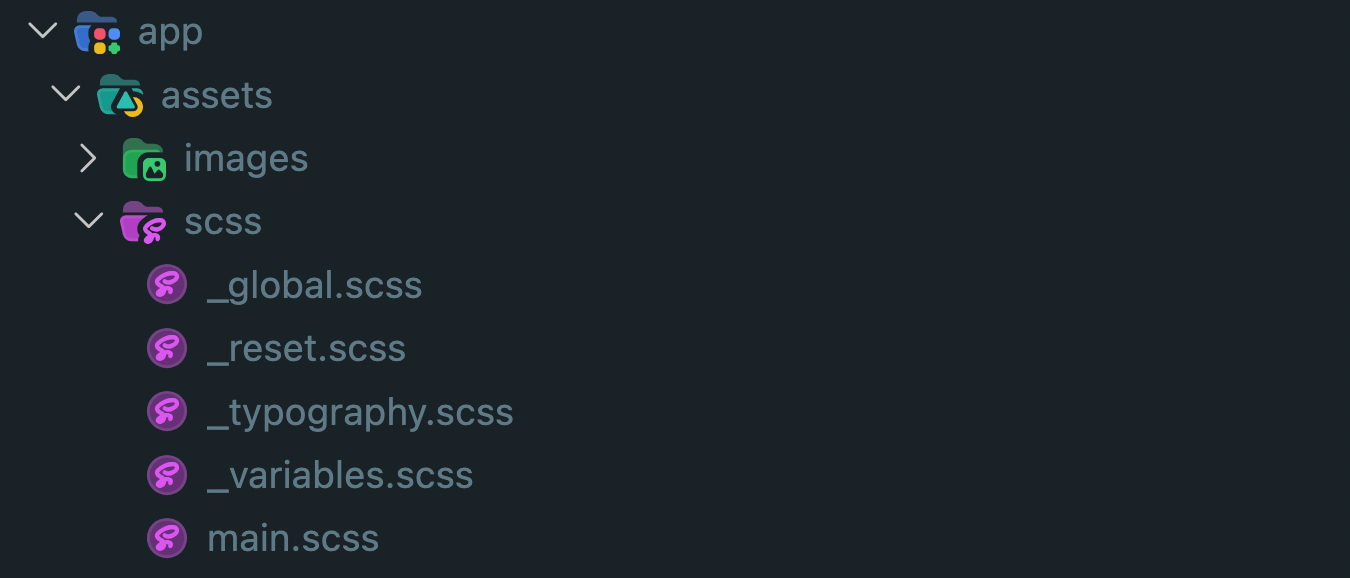
| File | Purpose |
|---|---|
_variables.scss | Design tokens: colors, spacing, sizes |
_reset.scss | Resets default browser styles |
_typography.scss | Font families, sizes, and text styles |
_global.scss | Global element and utility styles |
main.scss | Entry point — imports all partials above |
Edit SCSS Variables
Customize the appearance of the entire application by editing variables in app/assets/scss/_variables.scss:
// Colors
$white-color: #fff;
$main-yellow: #f5c102;
$tomato-color: #fe724e;
$border-color: #efe4ca;
$main-color: #0f1620;
$gainsboro-color: #dadfe2;
$text-color: #6c757d;
$accent-color: #ff4343;
$alabaster-color: #efede6;
$background-color: #efede6;
$error-color: #e74c3c;
$platinum-color: #e2e2e2;
$cerulean-frost-color: #60a2d5;

// Layout
$screen-width: 600px;
$header-height: 42px;
$border-radius: 10px;
Scoped Styles
Each component can have its own local styles inside a <style scoped> block. Scoped styles apply only to the current component and do not affect other parts of the application.
<style scoped lang="scss">
@use "@/assets/scss/variables" as *;

.container {
  padding: 16px;
  background-color: $background-color;
}
</style>
<style scoped> for layout or element-level adjustments unique to a specific page or component.Local Assets
Static assets are organized inside app/assets/:
app/assets/images/— reserved for local image files (currently empty — the template ships without any)app/assets/scss/— global stylesheets
How to Change Images
All images in the template render through the <NuxtImg> component from @nuxt/image, and product/avatar images currently point to external URLs (e.g. app/mocks/products.json) rather than local files.
Replace an Image URL
Find the <NuxtImg> tag in the relevant .vue file, or the URL in the relevant mock JSON file, and swap it with your own:
<!-- Before -->
<NuxtImg src="https://old-image-url.com/photo.jpg" alt="description" />

<!-- After -->
<NuxtImg src="https://your-new-url.com/photo.jpg" alt="description" />
Use a Local Image Instead
To serve an image from app/assets/images/ instead of an external URL, place the file there and reference it the same way:
<NuxtImg src="~/assets/images/your-image.png" alt="description" />